Sunday, December 16, 2012

Android Phone Fans

Android Phone Fans


Android Overload: Google to close down ActiveSync, Save to Google Drive extension, great deals and more

Posted: 15 Dec 2012 06:43 PM PST

Welcome to your Android Overload: weekend edition. Saturday night festivities are about to begin as everyone’s vacations start. Before you head out and start enjoying yourself, go ahead and check out these stories. They didn’t make it to our home page, but they are still worth a good look!

  • Save to Google Drive Chrome extension [Chrome Spot]
  • Google’s Winter Cleaning: Google Sync and more going away [Google Official Blog]
  • Allow more non-Verizon apps to be used with Multi-Window [XDA Developers]
  • Remove non-Verizon SIM message and get APN data on VZW Galaxy Note II [XDA Developers]
  • S-Pen optimized image editor open beta [XDA Developers]
  • Samsung on child labor allegations [Samsung]
  • Best Buy to offer Samsung Galaxy S3 for $49.99 on December 16 [Android Authority]
  • 32 GB Nexus 7 going for $217 on eBay [eBay]

20 apps to give your device a stock Android experience without root [GUIDE]

Posted: 15 Dec 2012 10:24 AM PST

This image has no alt text

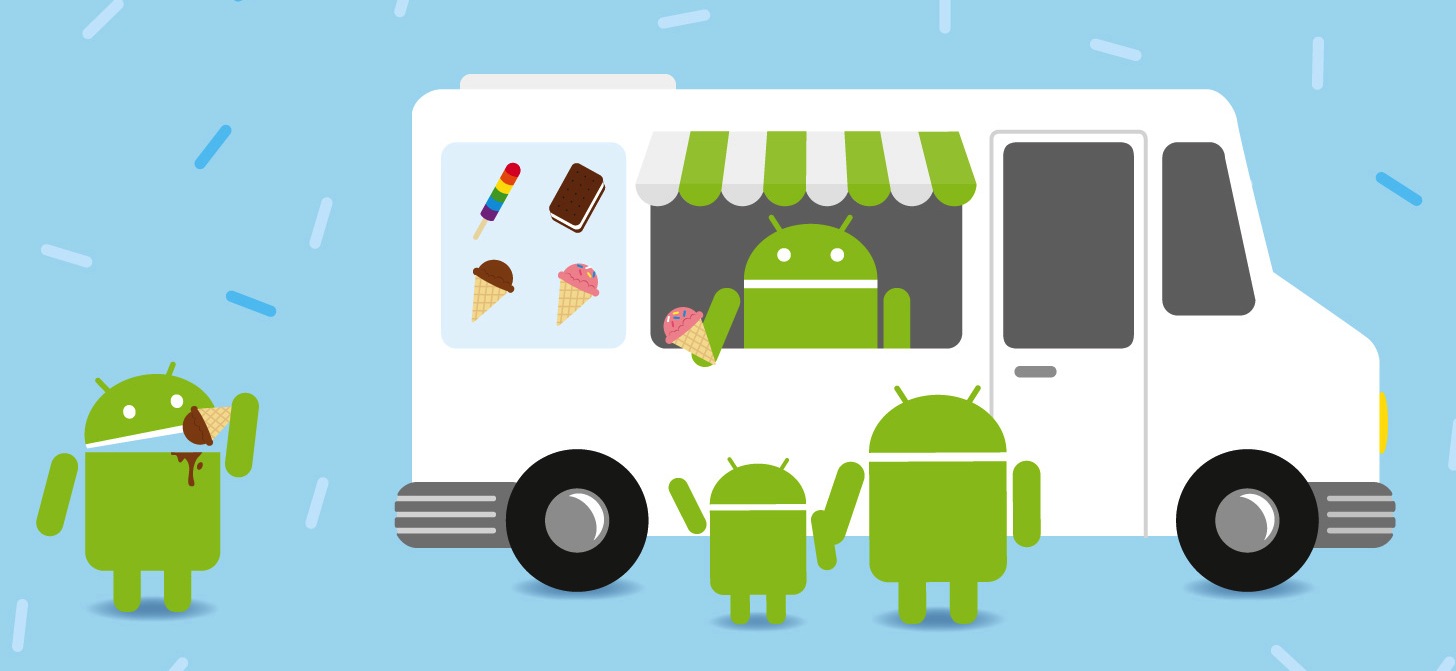
As we all know, the Android OS is an open platform meaning just about anyone can take the software and do just about whatever they like with it. It’s this reason many handset manufacturers opt to forgo the standard Android design (sometimes referred to as “stock Android”), injecting their own flavor into the OS. I like to think of it like an ice cream shop. While every shop is selling ice cream, they all have their own unique flavors and mixins that go beyond just plain vanilla. Unfortunately, for the kids that don’t want HTC’s rocky road, or Samsung’s cookies n’ cream, there’s little that can be done for those who prefer just plain vanilla.

Yes, for the truly dedicated, there’s always the method of rooting and installing the stock Android OS by way of custom ROMs. Only problem is rooting often times comes at the cost of voiding one’s warranty, buggy software, and even possible harm to the device by way of the dreaded “brick.” If this doesn’t sound like your cup of tea, you’re not alone. But is rooting really the only way to a stock Android experience on your device? Not entirely.

For our lovely Phandroid readers, I put together this handy guide showing you how, with apps downloaded from the Google Play Store, you can obtain a mostly stock Android experience out of your device — all without the worries that come with rooting, hacking, or voiding of warranties. Before we start, keep in mind that some of these applications will not run properly on anything but the firmware they were taken/designed from. For instance, an Ice Cream Sandwich browser will only work on your device if you’re running Android 4.0 Ice Cream Sandwich, not Gingerbread or Donut. Make sure you read the descriptions of the apps in the Play Store before you download. Now that we got that out of the way, let’s do this.

Launcher

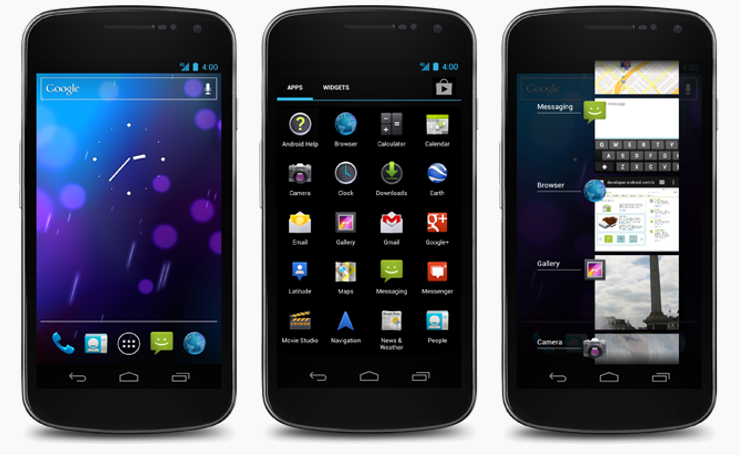
The most dramatic way to get your device looking like it’s running stock Android is by simply replacing its homescreen. In fact, most people will usually stop right there and that’s fine, but it’s only the tip of the Holo iceberg. With so many launcher replacements on the Google Play Store, there are numerous options to choose from. If you want something more closely resembling the stock Android experience (that is the point of this post, after all) you’ll want to stick with all-in-one solutions like Nova Launcher which offers a wide range of customizing options. Where you can find completely stock Jelly Bean launchers on the Play Store, they ain’t gonna help you when it comes to switching up those ugly icons your phone came with. Nova Launcher on the other hand, comes out of the box with Jelly Bean icons allowing for easy themeing of the remnants left behind from your unsavory manufacturer UI. Yay.

[Stock Jelly Bean Launcher | Nova Launcher | Apex Launcher]

Lockscreen

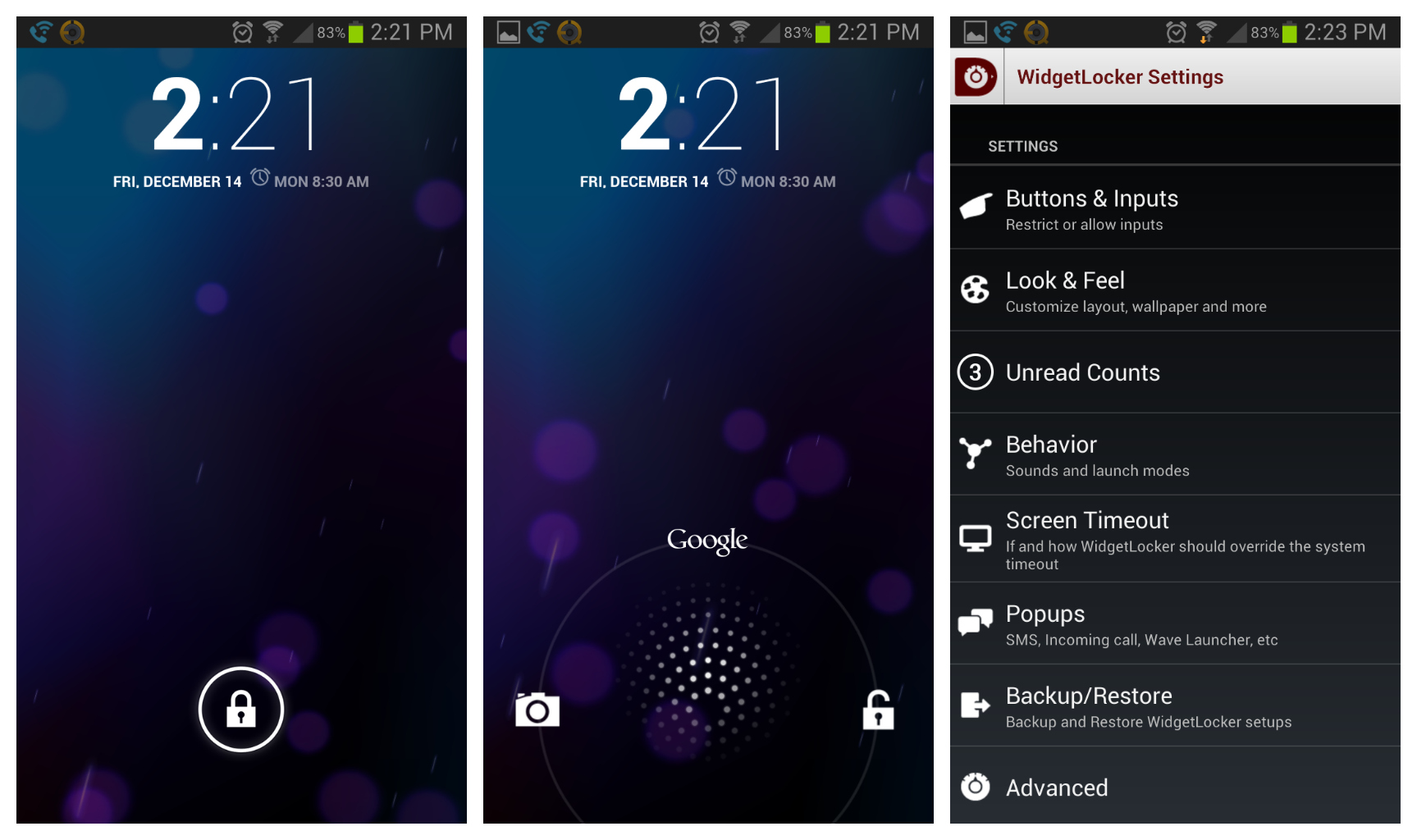
Another key ingredient to the stock Android experience is the first thing you look at upon waking your device — the lock screen. Once again, there are plenty of lockscreen options in the Play Store you can use to get your device looking like it’s running stock Android, the one with a heap of features being Widget Locker. I’ve been using Widget Locker for years now and while there are free lockscreen replacements (linked below), it’s WL’s feature set that keeps me coming back to it. The best part is you can use widgets from other apps, a key component if you want that stock Android 4.2 Jelly Bean clock displayed on your lockscreen.

[WidgetLocker | Holo Locker | Holo Locker Plus]

Camera

Ahhhh, yes. The camera. Chances are there is absolutely nothing wrong with the camera application that comes on your device. In fact, it probably runs perfectly well and comes with sh*t ton of features. There’s only one problem: it ain’t stock. This time around, we have a fewer options for stock Android camera applications from the Play Store, most of which are dependent on the version of Android your device is currently running. Got Ice Cream Sandwich? Well, then you’re going to have to stick to the ICS cameras (linked below). If you’re on Jelly Bean, you’re in luck. The Jelly Bean camera app in this case comes tied to the stock Gallery app. Not sure why it had to be that way, but consider it a 2-for-1 deal.

[Camera Jelly Bean+ (with Jelly Bean Gallery) | Camera Ice Cream Sandwich (Free) | Camera Ice Cream Sandwich+]

Gallery

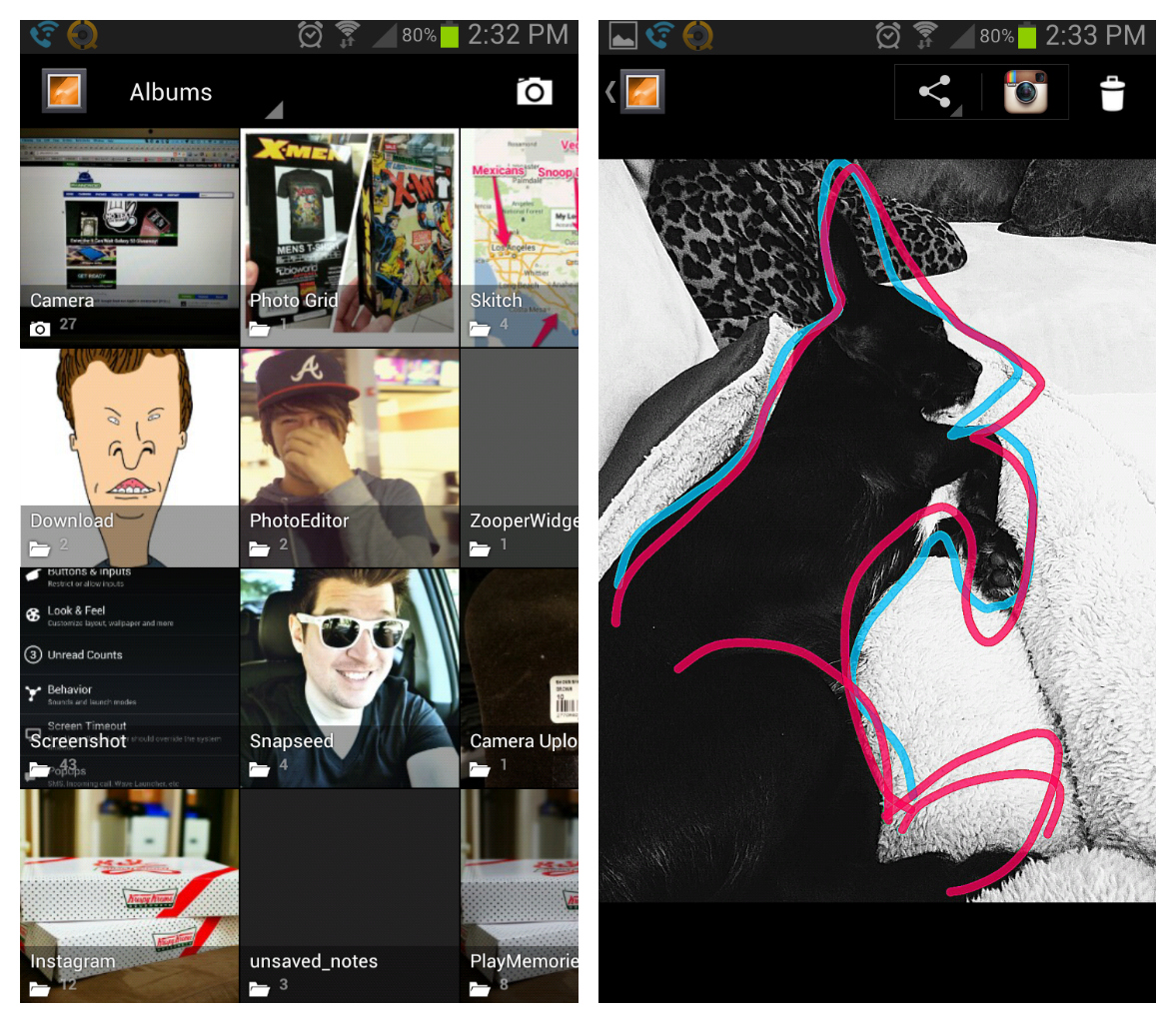
Probably my most frequently used app on my phone is the gallery app. I spend a lot of time in there sharing pics to my various social networks and it pains me when I see anything but minimal look of stock Android gallery app. If you purchased the Jelly Bean camera (linked above), you already got the Jelly Bean gallery app. Good for you. For those that didn’t, or simply didn’t want to bother with using the stock camera app, then you can download the free Ice Cream Sandwich gallery app. This is essentially the same as the Jelly Bean gallery, except you lose the notification bar. I’m sure this wont even bother most of you the way it did me (Jelly Bean FTW).

[Gallery ICS (free) | Gallery Jelly Bean+ (with Camera)]

Messaging

I went nuts when Google finally updated the messaging app in Ice Cream Sandwich. Once a hideously dark and empty experience, is now clean and minimal. It took me awhile, but I was able to find the stock Ice Cream Sandwich messaging app that can be installed on any device running Ice Cream Sandwich or Jelly Bean. There’s only one problem — this stock messaging app can’t (at the moment) send off MMS/picture messages, so heavy sexters may want to stick with whatever messaging app is already available on their device. Fooey.

[Messaging]

Keyboard

When a manufacturer introduces their custom UI to a device, the first thing almost always kicked to the curb is the stock Android keyboard. This happens so often, you’d logically assume the stock keyboard is just that horrible, right? Couldn’t be further from the truth. In fact, Google has done some pretty awesome things with the Android keyboard starting in Android 4.0 Ice Cream Sandwich where text is more aggressively corrected, and in Jelly Bean, we even have next word predictions and Gesture Typing. So, there’s a couple of options here for heavy Android texters. You can download one of the modified stock Android keyboards below, or simply go with something like SwiftKey and use the built-in themeing options to make it appear more like stock Android. Either route would work.

[Jelly Bean 4.2 Keyboard | Ice Cream Sandwich Keyboard | SwiftKey 3]

Clock

In Android 4.2 Jelly Bean — the absolute latest firmware Android has to offer — Google decided to finally update the stock clock application. They did this by, not only giving the app a much needed visual overhaul, but making it more useful with the inclusion of timer and stop watch functions. One of the visual cues used to see which version of Android a device is running is almost always the stock clock widget, which was also updated in 4.2. Thankfully, a developer has uploaded both the stock clock app, with the included stock clock widget from 4.2 and it looks wonderful. Combine the Jelly Bean clock widget with the Widget Locker lockscreen replacement and you have yourself a faithful recreation of the lockscreen from Android 4.2 (for the most part).

[Clock Jelly Bean+ | Clock Jelly Bean Free (no alarm) | Clock Ice Cream Sandwich (Free)]

Calculator

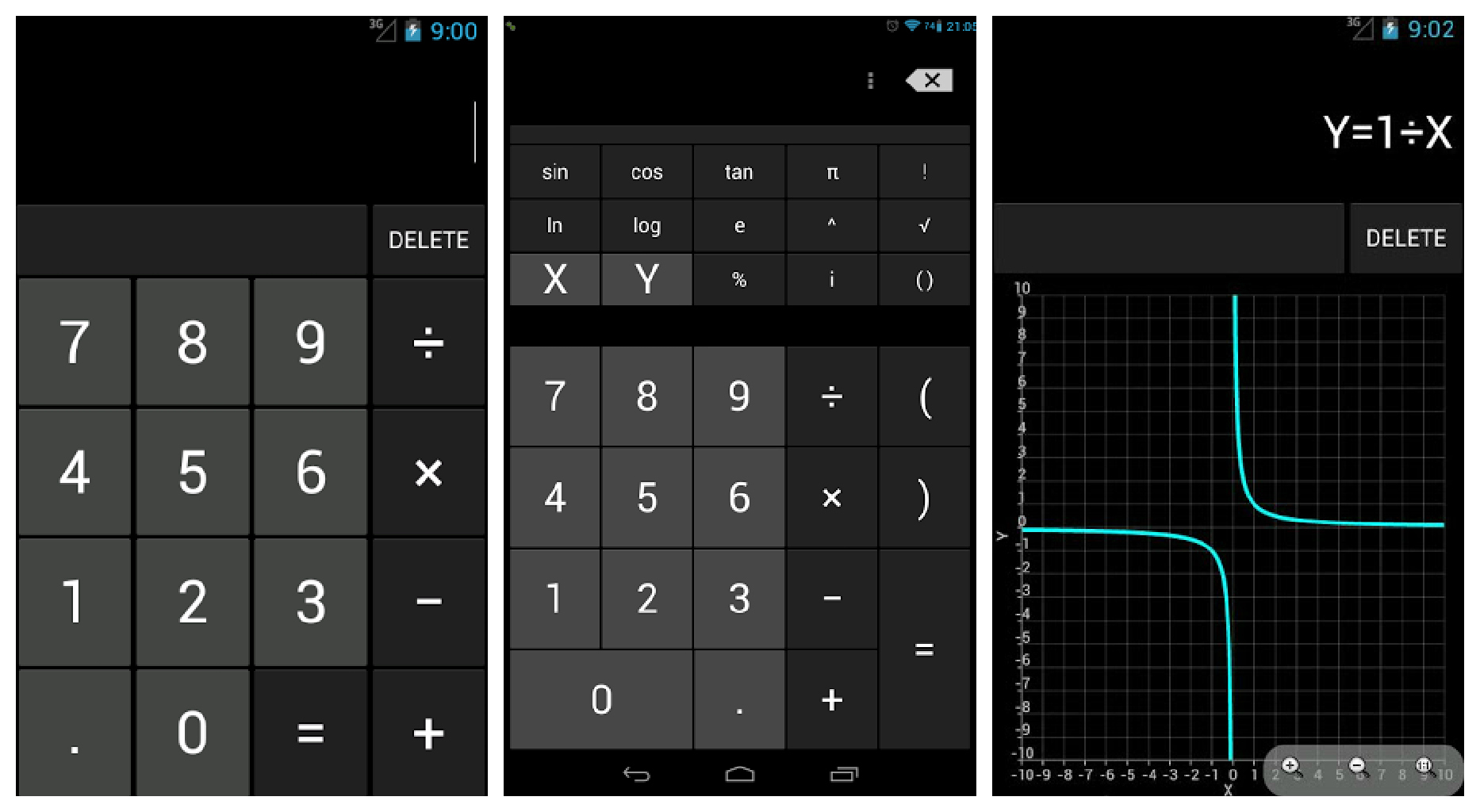
The calculator in Android has long needed an update and one crafty developer from the CyanogenMod team took matters into his own hands, introducing a revamped calculator into the Play Store complete with scientific and graphing functions. So, yes. This is in many ways better than the stock app, but still keeps the stock app look. The best part? It’s free to download so hop to it.

[Calculator]

Calendar

Another application that’s almost always removed from manufacturer devices is the stock Calendar app. This allows Android OEM’s to introduce their own calendar app, usually heavily skinned and chalk full of features. For those that find the stock Android calendar sufficient — in looks and features — Google has actually made available the stock Android calendar for download in the Play Store. As so often is the case with Google’s apps, it’s available free of charge.

[Google Calendar]

Browser

It was in Jelly Bean that Google made the controversial decision to remove their standard Android web browser (the one introduced all the way back in Honeycomb) from the OS entirely. Instead, they opted for their mobile Chrome browser, which offered better syncing across devices, but many found the browser slow in comparison to the previous version. While downloading Chrome from the Play Store would be the easy way at obtaining a “stock” Android look, the app doesn’t really feature Android’s Holo UI. For those wanting to take things back to the oldschool browser, there is one available from the Play Store, but you gotta be running Ice Cream Sandwich. Bummer. No Jelly Bean love here, folks.

[ICS Browser+ | Chrome]

Wallpapers

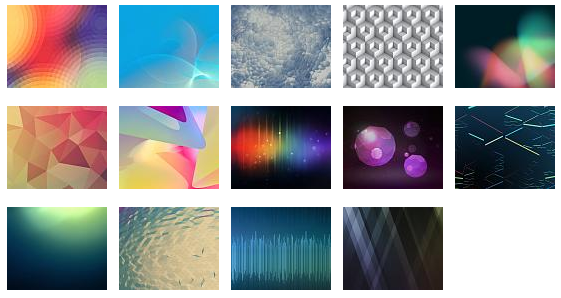
The icing on the cake for obtaining a stock Android look is, of course, using the stock Android wallpapers. While downloading the official wallpapers found in Jelly Bean are easy (zip file provided below), it’s some of the stock live wallpapers that are a little harder to come by. When it comes to the Phase Beam live wallpaper — introduced way back in Ice Cream Sandwich — one thoughtful developer has uploaded the moving wallpaper onto Google Play for everyone to download and enjoy. While it’s not the exact same wallpaper found on stock Android devices, it does a well enough job at recreating the Phase Beam wallpaper, while adding a few tricks as well.

[Nexus 4 Wallpapers | Phase Beam Live Wallpaper]

Extras

Google caused some buzz a few days ago when they introduced their music discovering app, Sound Search into the Google Play Store. Once reserved for Jelly Bean devices, Sound Search is now available to anyone with a device running Ice Cream Sandwich or above. It’s a great way to discover new music, download, and give your device yet another stock Android feature.

[Google Sound Search]

So, that just about concludes this guide. These are always the first apps I download whenever I receive a new device and aside from visiting my settings app, my eyes rarely see any trace of manufacturer UI. I think it’s clear Android manufacturers will never offer a “vanilla” version of the OS with any of their devices. For purists, we have the Nexus program for that. I’m fine with that, I really am. Individuality, options, and choice are good for Android and consumers. Still, there have been a vocal few screaming for manufacturers to make their UI an option (downloadable from the Play Store) and really, I think it’s Google’s responsibility to make this happen. Not by cutting off Play Store access, but simply by offering every single one of their stock Android applications in the Play Store for downloading. This, will give users the choice of downloading and getting a mostly stock Android experience, if they so choose. I’ll step down from my soap box now. Just some food for thought.

If you found this guide helpful, don’t forget to share with friends. Also, if you feel that I missed anything, or maybe you have a few apps you think should have made it into the post, sound off below. Cheers.

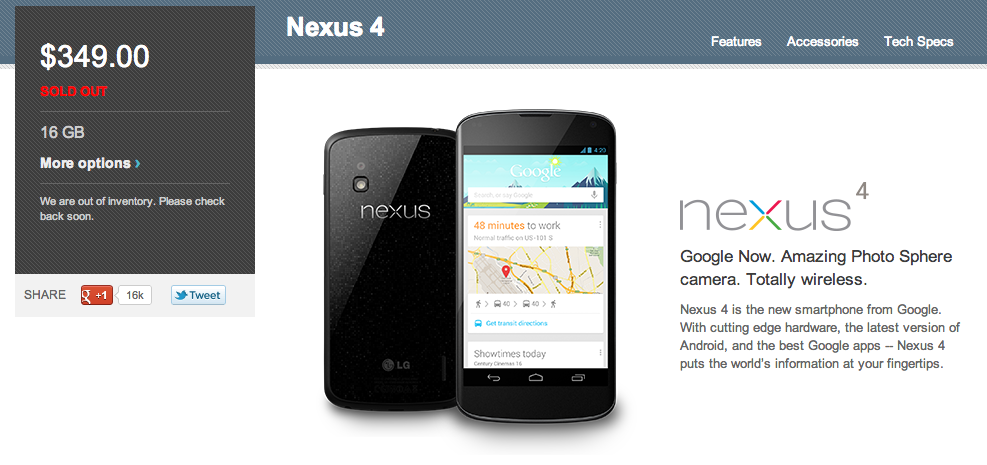
The 16GB Nexus 4 is now officially sold out on the Google Play Store

Posted: 14 Dec 2012 07:45 PM PST

This image has no alt text

We were beginning to wonder if Google was ever going to list the device as sold out, or simply continue pushing back the shipping date. At one point listed as shipping in 8-9 weeks, the 16GB Nexus 4 is now officially listed as “sold out ” on the Google Play Store. We’re not sure how long before LG replenishes some of Google’s supply but hopefully it wont be long. We seen it drop to out of stock status on the first day of December, but that was the 8GB model (which is still listed as sold out). As it stands, it looks like the chances of snagging one of these before Christmas are slim.

[Google Play]

Samsung wishing you a happy holidays with the Galaxy Note 2 and this fun video

Posted: 14 Dec 2012 07:38 PM PST

This image has no alt text

I’ve always been a sucker for a good ad spot and it seems that lately, Samsung has been on fire releasing clever (and sometimes provocative) commercials for the Galaxy S3 and Galaxy Note 2 handsets. Today, Samsung uploaded another fun commercial showing off what happens when you combine the art of Kirigami and the ridiculously large display of the Samsung Galaxy Note 2. The results are magical. Take a look.

Android and Me

Android and Me


Day 15: Win a Sony Android Walkman Z

Posted: 15 Dec 2012 09:45 AM PST

Day 15 and we’re back on the scene. If you've been following along, you know that we're giving away a new device daily til Christmas, as part of our yearly tradition, 25 Days of Tegra. To enter to win today, all you'll need to do is be logged in. The Prize: Sony Android Walkman Z [...]

Visit our site to read the full article.

Google Android News Android Forums

Google Android News Android Forums


[Deal] Best Buy offering Samsung Galaxy S III for $49 on December 16th

Posted: 15 Dec 2012 02:49 PM PST

Best Buy has been known to have some pretty good deals, but this one should have any Android fan pretty excited. Tomorrow only, Best Buy will be offering the famed Galaxy S III for only $49.99 with a new or renewed contract. This offer is good for all four major carriers: Verizon, AT&T, Sprint and T-Mobile. You’ll be able to pick up your shiny new Galaxy S III in any Best Buy or Best Buy Mobile store. This is a great deal for any of you looking to own one of the best Android phones around without breaking the bank. You might want to get to Best Buy early tomorrow, with a deal like this they might sell out as quickly as Google’s Nexus 4 did.  Anyone planning on picking one of these up tomorrow?


AT&T Motorola ATRIX HD receiving Jelly Bean update

Posted: 15 Dec 2012 09:04 AM PST

AT&T announced on their Consumer Blog the availability of Android 4.1 Jelly Bean for the Motorola ATRIX HD. The update follows the release last week of a Jelly Bean update for Samsung Galaxy S III devices. The Motorola ATRIX HD joins the Galaxy S III, the Samsung Galaxy Note II and the HTC One X+ as devices in the AT&T portfolio boasting Jelly Bean.

The update is available as an over-the-air (OTA) update via Wi-Fi. Users can can get the update by going to Settings -> About -> Phone -> Software Updates on their device.

source: AT&T Consumer Blog


ForeverMap2 now available in Amazon App Store for Amazon Kindle Fire owners

Posted: 15 Dec 2012 08:40 AM PST

While many people were occupied in recent days with news of Google Maps return to the iOS platform, owners of Amazon Kindle Fire devices continued to make do without a pre-installed mapping app. Yesterday, skobbler announced the availability of ForeverMap2 (Kindle Tablet Edition) through Amazon’s app store. ForeverMap2 is free to download and install for Kindle Fire owners. ForeverMap2 provides the expected map functions like routing and search. skobbler claims to provide an excellent visual experience and due to the map database, the product is especially strong when off major roads according to reviews.

ForeverMap2 is based on the OpenStreetMap database, a crowdsourced project similar to Wikipedia. The OpenStreetMap project boasts 900,000 contributors using a variety of methods to update the database. In addition to the free app, users can buy downloadable maps. Doing so provides users with the ability to use the app online or offline. Hit the break for the full press release and a download link (just for Amazon Kindle Fire users).

ForeverMap 2 Arrives on Amazon's Kindle Fire™

Friday, December 14th 2012
skobbler | New York, NY

Popular Mapping Solution is Poised to be the Standard on Kindle Fire Tablets

—skobbler (www.skobbler.com), a leading provider of mobile map-based solutions, today announced that ForeverMap 2 is now available for Amazon's Kindle Fire for FREE by visiting Amazon's App Store. Through a series of impressive features including seamless online-offline functionality, and a unique integration with the OpenStreetMap database, ForeverMap 2 delivers the most detailed and versatile digital map service today, and is poised to become the standard map app on the Kindle Fire—which has no preinstalled map solution, like Google Maps, available on the device.

A worldwide crowdsourced project similar to Wikipedia, OpenStreetMap—a free and editable map of the world built by over 900,000 voluntary contributors using data from satellites, GPS logs, local knowledge, and other sources of geographic information—provides users with constantly evolving information about their surroundings and is simply unmatched in terms of detail—especially beyond road networks. As a result, by harnessing OpenStreetMap's vast dataset, ForeverMap 2's hyperlocal information is a key differentiator when compared to other mapping platforms.

In addition, ForeverMap 2 is one of the only map apps on the Kindle Fire that can offer "hybrid" functionality, allowing users to switch between online or optional offline map access through in-app purchases of downloadable maps. Optional offline map upgrades store locally, allowing for fast and reliable results and providing a flexible mapping service without the constraints of cellular carriers and excessive data or roaming fees. Meaning, whether you're trying to find directions to the nearest supermarket or are off to take in the sights from around the world, ForeverMap 2 delivers worldwide map data to your disposal, making traveling a breeze—anytime, anywhere.

Furthermore, ForeverMap 2 is one of the only map apps in the Amazon App Store that offers unlimited offline functionality upon purchase of a downloadable map upgrade, meaning routing and essential search capabilities, including local and category or point-of-interest search, are all provided. Other map offerings on the Kindle Fire currently don't deliver this degree of map functionality or use while offline.

Users can download ForeverMap 2 for FREE on Kindle Fire (first and second generation), Kindle Fire HD and Kindle Fire HD 8.9", with continuous free software and map updates provided and absolutely no restrictions while online with the option to install the downloadable map upgrades for full offline use. Users can purchase nearly 1,000 in-app upgrades of city ($0.99), state ($1.99), country ($2.99) or continent ($5.99) maps. They can also purchase a worldwide map ($9.99), which includes access to all available in-app map upgrades. Each purchase is a one-time payment, no subscriptions required.

OpenStreetMap data also provides ForeverMap 2 users with unmatched information that goes beyond just their desired route, making it ideal for itinerary changes, or outdoor activities, such as hiking and camping. Intuitive map interactions and cutting-edge visuals, plus a user interface that quickly adapts to the Kindle Fire screen, are powered by skobbler's advanced NGx map engine for mobile and make it easier than ever to interact with the map. Various search modes, car and pedestrian routing information, Wi-Fi positioning and optimal synchronization capabilities with skobbler.com, combine to make ForeverMap 2 one of the easiest and most reliable mobile map resources within Amazon's App Store.

"Amazon’s devices do not include pre-installed maps and Google Maps isn’t even available,” said Marcus Thielking, Co-Founder of skobbler. “By coupling unlimited 'hybrid' functionality with OpenStreetMap data, we offer Kindle Fire users a solution that's second to none in the Amazon App Store. From its unmatched hyperlocal detail, to its constantly evolving data and incredible affordability, ForeverMap 2 is not only the go-to map service on the Kindle Fire, it is Kindle Fire's standard mapping service, bar-none."

For further information on recent developments at skobbler, please visit http://skobbler.com, http://blog.skobbler.com, http://fb.skobbler.comor http://twitter.com/skobbler.

About skobbler

Founded in 2008, Berlin-based skobbler (www.skobbler.com) is one of the premier players in mobile location-aware services. With over 3 million customers on iOS alone, skobbler has regularly topped overall and category app charts in more than 20 countries, leading the way in the development of location technology and end consumer products based on the OpenStreetMap. This experience also facilitates skobbler's development projects for third parties. Based on the skobbler GeOS map access technology, companies can base their location-aware web or mobile services on the OpenStreetMap.

Amazon App Store Download Link


11 Bit Studios Unveils Anomaly Korea Trailer

Posted: 15 Dec 2012 08:29 AM PST


You can never have enough games featuring explosions, machines and overall destruction, right? Well that’s what 11 Bit Studios believes with its brand-new Anomaly Korea game. The game is the follow-up to Anomaly Warzone Earth and has all sorts of new goodies like 12 new missions, new power-ups and new special units. There’s no word on whether or not the game will utilize a multiplayer mode, but based off of what’s included in the game, the single player campaigns may be more than sufficient enough for most gamers.

The game is due to arrive “Christmas Time”… whatever that means. But while the gaming world waits for the new beast to be released, 11 Bit Studios has released a trailer highlighting the game’s features and capabilities in the meantime. You can check out the game in its full glory once you hit past the break.

Click here to view the embedded video.


Sony Xperia E budget phone appears to be landing in the UK this February

Posted: 14 Dec 2012 08:24 PM PST

When it comes to releases, Carphone Warehouse seems to always give us a good indication on dates. Sony already announced the Xperia E budget phone, but didn’t tell us anything more than to expect it Q1 2013. Well Carphone Warehouse has a page to pre-register for the dual-SIM device, and it clearly states that it’s expected February 2013. Pricing should be around £130-£140 ($210 to $225).

source: xperiablog


All Rovio HD games on sale this weekend for 99-cents

Posted: 14 Dec 2012 07:59 PM PST

Rovio is celebrating the holiday season with a sale this weekend. All HD games are on sale for Android and iOS. All Android titles are just .99 cents in the Google Play Store. The sale ends this Monday, December 17, but why wait? Hit the download links below to get in on the action before it’s too late. Note: Bad Piggies is showing as Free at the time of this post.

source: Rovio


Limited edition red DROID DNA for Verizon employees pictured

Posted: 14 Dec 2012 07:40 PM PST

Verizon has been making a habit of offering special edition DROIDs to their employees. A few months ago, it was the DROID RAZR HD / RAZR MAXX HD, and now the DROID DNA gets the same treatment. As you can see the back is the same color red as the side grills that are on the normal retail model. It’s pretty cool looking, but might be a little too loud. If you’re looking to get your hands on one of these, you might want to check out eBay since you won’t find them in stores. A couple of more pictures after the break.

 source: droid-life